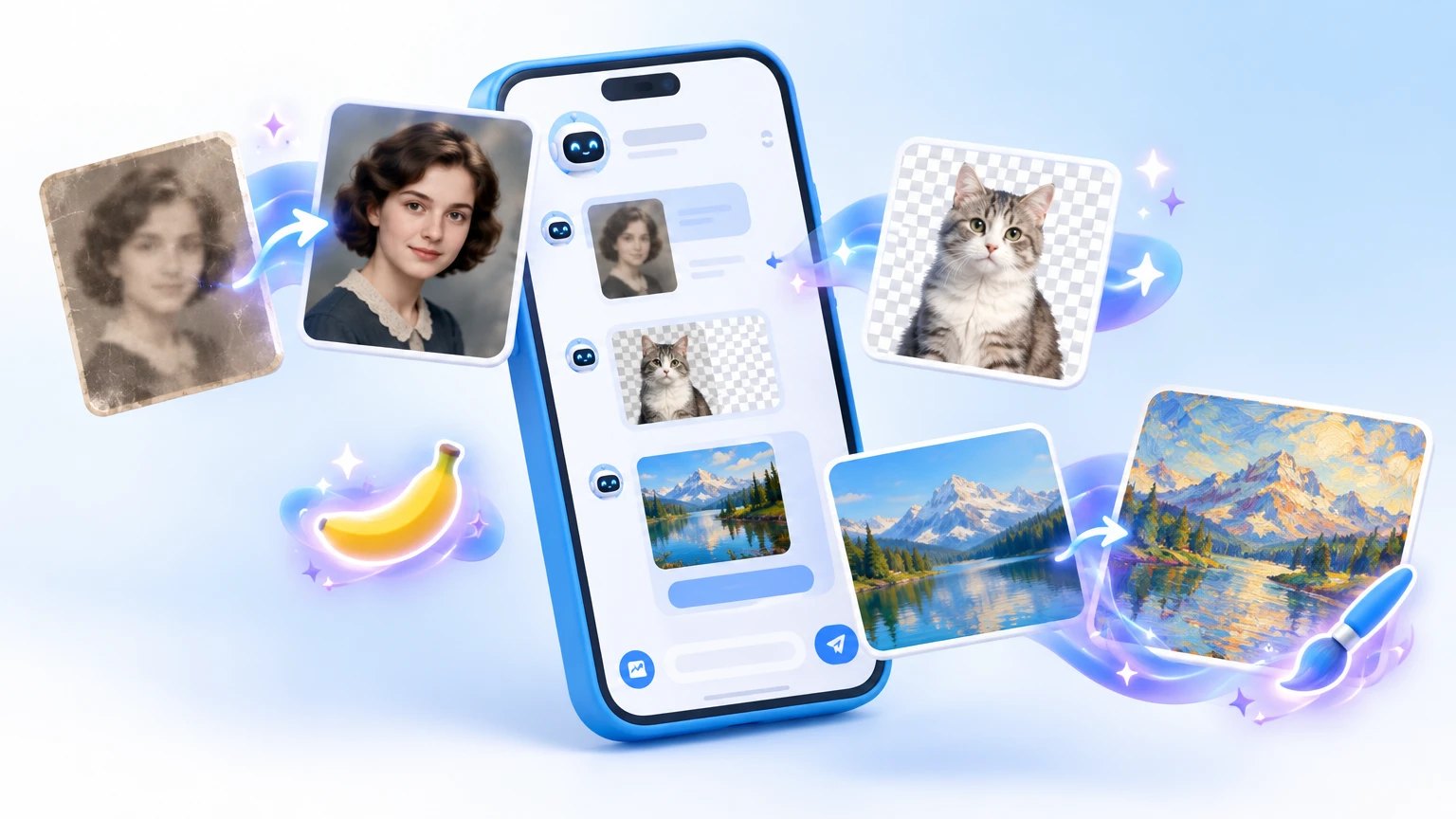
You want a stranger gone from a holiday shot, an old family photo sharpened, or a profile picture that looks like a film still. Installing an editor for one picture feels like overkill, and in Telegram AI bots do this right in the chat.
We picked ten of them from the Nidium catalog by audience and by job. The first five draw and edit from a text prompt, two handle portraits and templates, and the last three fix photos you already have.
Why Telegram is full of bananas
Nano Banana is a Google model for generating and editing images. Dozens of bots plug into it, so the same name shows up from different developers at different prices.
- 🍌 One model, many tills. Bots resell access to someone else's AI with their own limits and prices.
- 💸 Almost all use an in-bot currency: energy, credits or tokens.
- A picture costs less than a video.
- Animating a photo is usually the priciest action.
- Quality drifts. It depends on which model version the owner connected this month.
💡 Test bots on the same photo and the same prompt. Ten minutes and the free starter generations are enough to drop the weak ones before you pay.
All ten at a glance
| Bot | Best for | Monthly users |
|---|---|---|
| PROTOGEN | art, photo animation, effects | about 736K |
| Matrix Ai | trend images and captions for social media | about 148K |
| Lexy | studio portraits from your photos | about 112K |
| NanoBanana | text edits, restoration | about 101K |
| Nano Banana Pro | editor plus dozens of models | about 57K |
| PhotoFixerBot | upscaling and sharpness | about 54K |
| Improve Photo | old and blurry shots | about 40K |
| Vibeek | photos from ready templates | about 33K |
| Midjorobot | Midjourney and video in one chat | about 16K |
| Image Background Removal | cutting out backgrounds | about 10K |
Draw and edit from a prompt
PROTOGEN: the biggest all-rounder
One menu holds art generation, photo animation, simple video edits and trending effects. It is the largest bot on this list, so expect a queue at peak hours.
- 🎨 Good for: a card from a family photo, a moving portrait, a clip for stories.
- ⚡ Payment: in-bot energy, with some free for newcomers. Video burns more than a picture.
- ⚠️ Weak spot: fingers, shop signs and small details sometimes come out wrong.
Matrix Ai: pictures for today's trend
The bot promises trend generations in one click: templates, ideas and captions for social posts. Everything runs in a mini app, and prices and model lists only show up inside it.
- 📱 For: bloggers who cannot keep up with trends.
- Bonus: draft captions and posts for the topic of the day.
- ⚠️ Keep in mind: many platforms ask you to label AI content.
NanoBanana: photo edits in one sentence
Upload a photo and write what to change: remove a passer-by, repaint a car, swap the sky. Images come from the Google model, clips from Veo 3.
- 🛠️ Four modes:
- edit by text;
- animate a photo;
- restore old shots;
- generate from scratch.
- 🎁 Start: reviews mention about five free generations for newcomers, and a gallery of examples shows prompts that work.
- ⚠️ Downside: the model may nudge facial features you did not ask it to touch.
Nano Banana Pro: an editor with dozens of models
You switch between three versions of the Google model here, and the menu opens a whole set of other AI tools. Handy if you do not want five bots for five jobs.
- 🖼️ Images: Nano Banana, Flux, Seedream, GPT Image, plus an upscale command.
- 🎬 Video and sound: Kling, Veo 3, Sora 2, songs, text to speech and video translation.
- 💸 Money: a token balance. Try a couple of generations on a small top-up first.
Midjorobot: Midjourney through one Telegram chat
The bot bundles Midjourney, the video models Kling, Runway, MiniMax and Sora, plus ChatGPT and Suno. It targets Russian-speaking users and takes Russian cards.
- ⏱️ Free tier: daily generations, but the free queue is slow, 5 to 15 minutes according to reviews.
- 💳 Paid: a 30-day subscription and generation packs. Current prices are on the payment screen.
- 💡 Tip: Midjourney prefers English prompts, so ask ChatGPT in the same bot to expand yours.
Portraits and templates
Lexy: a photo shoot without a studio
Send ordinary selfies, pick a look or a ready photo set, and the bot returns a studio-style portrait. People mostly use it for avatars and business profiles.
- 🎯 Model choice: the bot runs on several AI models, and the same shot looks different on each.
- 📸 The source photo decides:
- daylight and the whole face in frame;
- no dark glasses and no filters.
- 💸 Payment: some generations are paid and can be topped up in the menu.
Vibeek: your photo in a trending style
The mini app redraws your photo from a chosen template: face and pose come from you, scene and lighting from the template. Tired of templates? Write your own prompt.
- ✨ Plus: no need to invent a description, the scene is ready.
- 💰 Price: generations come from an in-app balance, and the cost per image differs by model.
- 🔒 Rule: upload only your own photos or those of people who agreed.
Fix the photos you already have
PhotoFixerBot: upscaling in two steps
Press start, send a photo, get back a sharper and larger version. There is also a reverse command that shrinks a picture that is too heavy.
- 🔍 About the result: the AI draws plausible detail, so you get a reconstruction, not the original.
- Tip: do not run the same photo twice, each pass makes it look more plastic.
Improve Photo: family archives and old graduation shots
Running since 2022, the bot sharpens, upscales, fixes colour and restores faces. The author moved to a newer model so faces from poor sources look more natural.
- 📷 Send as a file: then Telegram does not compress the source or the result.
- ⚠️ Limit: on a very old photo a face can come out slightly different, so do not use it for documents.
Image Background Removal: a product on a clean background
Send a picture and the bot returns the subject without its background. Useful for marketplace listings, a plain avatar or a collage.
- ✂️ Works best with: one subject, even light, a background of a different colour.
- ⚠️ Harder: hair, fur, glass and thin wires.
- Save as a file: otherwise transparency is lost.
Other people's faces and your money
All ten bots send photos to third-party services for processing. A few habits save trouble.
- Upload only your own photos or those of people who gave consent.
- Skip documents, children's photos from private albums and intimate shots.
- Do not make fakes that could pass for real.
- Top up in small steps until you know what your usual tasks cost.
⚠️ Many bots are called Nano Banana. Before paying, make sure you opened the one you picked: the button on its catalog card is the easiest way.
For one photo a month, the free generations in PROTOGEN or NanoBanana are enough. For regular photo and video work, one all-rounder like Nano Banana Pro or Midjorobot costs less than subscriptions in three different bots.