Make Telegram stickers from photos, video and text
Bots and mini apps for your own stickers: from photos, video, GIFs and text, or from existing packs. Choose by format and limits and build a sticker pack right inside Telegram.

Create Telegram stickers and custom emoji from any image
Turn photos into Telegram stickers and custom emoji without an editor. Formats, pack limits, how to edit or delete a set and what works without Premium.

fStik: Make Telegram Stickers and Emoji from Photos
fStik in Telegram: make stickers and emoji from photos, videos and GIFs with no manual conversion, remove backgrounds and manage packs. Commands and tips.

Telegram Stickers to WhatsApp: Transfer Sticker Packs
Bot that moves Telegram stickers to WhatsApp: send a sticker, get a pack file and add it to the messenger. Step by step guide and known limits to expect.

StickYoFace: Animated Face Stickers in Telegram
StickYoFace in Telegram: AI puts your face into animated stickers and trending memes. Bot commands, the generation queue, referral contest and photo tips.

QuotLy: Turn Telegram Messages into Quote Stickers
QuotLy turns funny or memorable chat messages into neat quote stickers. Reply with /q, pick a background color and share the result with friends in Telegram.
Hypestick Bot: Cartoon Stickers from Photos
Hypestick turns your photo and a line of text into a hand-drawn Telegram sticker in about a minute. The first generation is free, then you pay in Telegram Stars.

Literally Me: stickers and AI photos with your face in Telegram
Literally Me in Telegram: send a photo for a sticker pack with your face, or ten shots so AI can make photorealistic pictures of you. Commands, payment, privacy.

SVG to TGS: turn SVG files into Telegram vector stickers
SVG to TGS converts vector SVG files into the TGS format for Telegram sticker and custom emoji sets. Crisp at any size, with a conversion quota and paid top-ups.

Stick: AI stickers and avatars from your own photo in Telegram
Stick turns your photo into stickers, memes and avatars with AI: movie scenes, funny stickers with a friend. Pick a style, upload a photo and build your own pack.
Idea Stickers: Custom Logo Sticker Pack in Telegram
Idea Stickers on Telegram: a mini app for building a sticker set with your logo. How to start with /start, language switch and branding tips for a clean result.

Auto Emoji Maker: Animated Emoji for Telegram
Auto Emoji Maker helps you make your own animated emoji for Telegram in a few clicks. Formats, size limits and how to put together a set that works well.
AI Pet Stickers: Pixel Pet Stickers in Telegram
AI Pet Stickers in Telegram: turns photos of your cat or dog into fun pixel stickers for chats. Which photos work best and how to get a good result from it.

Emoji Generator Bot: Custom Emoji Sets in Telegram
Build custom emoji sets from a zip archive, copy and combine packs in Telegram. Batch upload and emoji grid in one handy Mini App. Open it in a tap.
OneFace: stickers and GIFs with your face in Telegram
OneFace turns one selfie into a sticker pack of memes and GIFs starring you. How to take a good photo, commands /packs and /start, and privacy rules.
Photo to Sticker: Turn Photos into Telegram Stickers
Photo to sticker turns your photo into a Telegram sticker in cartoon, anime or comic styles, keeping faces recognizable. Results come in a few minutes.

SnapStix: AI stickers from a photo or text for Telegram
SnapStix is a Telegram bot where AI turns your photo, a friend's photo or a text prompt into stickers. Modes, balance, VIP and tips for a sticker that works.
AI Sticker Maker: Selfie to Sticker Packs in Telegram
AI Sticker Maker for Telegram turns your selfie into sticker packs in Kawaii Chibi, Cyber Neon and 3D Toy Box styles. Pay with Telegram Stars or invite friends.

Stickers Pack: Make Telegram Stickers, Emoji and Emoji Fonts
Stickers Pack on Telegram: turn photos and videos into static, animated and video stickers, make emoji and emoji fonts. A step-by-step guide to using it.
MAGIC ART BOT: AI stickers from your photos
MAGIC ART BOT turns your photos into an AI sticker pack inside Telegram. Top up a balance, switch language, reach support. How it works and what to know.

SVG to TGS: make animated Telegram stickers from SVG
SVG to TGS turns a vector drawing into an animated Telegram sticker or custom emoji right in your browser, no After Effects. Limits and steps in order.

Holiday Stickers: turn your photos into festive Telegram stickers
Holiday Stickers on Telegram turns your photos into festive stickers, with you and your friends as holiday characters. How to prep photos and build your own pack.
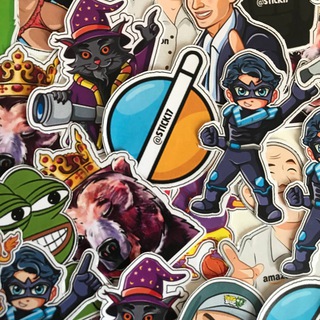
STICK17: Order Custom Stickers and Illustrations
STICK17 on Telegram: the order desk of an illustration studio. Describe your idea, get a consultation and order custom stickers or artwork for your project.
Stickerface: six Telegram stickers from one selfie
Stickerface is a Telegram bot that turns one selfie into six stickers with your face. Which photo works best, how to build a sticker pack and privacy tips.

Sticky: AI stickers with your face and a personal Telegram pack
Sticky builds a personal sticker pack from your photo with AI. A task queue, generation credits, a referral program and an interface in several languages.

Banana Stickers Bot: Turn a Selfie Into a Sticker Pack
Banana Stickers Bot turns a selfie into a pack of 25 cartoon stickers with your face. Transparent background, many emotions. How it works and what to watch for.

Stickerogram: put your face on any Telegram sticker or GIF
Stickerogram swaps your face into any Telegram sticker or GIF. Send a selfie and a sticker, get your own version of the meme in minutes, plus photo tips.

Stickers Bot: Create Telegram Sticker Packs
The official Stickers bot builds sticker, mask and emoji packs from your images: static, video and animated. Commands, steps and tips on file preparation.

Telegram Emoji and Sticker Maker Bot from Photo or GIF
A Telegram bot that turns photos, videos and GIFs into custom emoji and stickers, clones packs, edits sticker emoji and keeps a catalog of ready-made sets.
Sticker and Premium Emoji Maker Bot for Telegram
A Telegram bot that turns your photos and videos into stickers and emoji. Commands /new, /my_stickers, /my_emojis, plus tips on size, background and copyright.
DuoSticker: Make Telegram Stickers From Photos, Video
DuoSticker in Telegram: turn photos and videos into stickers, assemble packs and browse a catalog of sticker sets. What the bot does and how to get clean results.

Create Premium Emoji and Stickers from Photos in Telegram
A Telegram bot that turns photos, videos and GIFs into emoji and sticker packs and helps you find ready sets by category. Commands and file tips.
Sticker Bot for Telegram: manage stickers and packs
Sticker Bot helps you work with stickers and packs right in a Telegram chat. What such a bot does, what sticker requirements exist and what to watch out for.
My Stickers Bot: Make Stickers and Emoji in Telegram
My Stickers bot for Telegram turns photos, videos and GIFs into stickers and premium emoji. Manage packs with simple commands, no channel subscriptions.

Sticker and Emoji Maker Bot for Photos, GIFs and Video
Telegram bot that turns photos, GIFs and video into stickers and custom emoji, builds packs and edits them. How to make a set and respect others' rights.
Create Stickers Telegram Bot: Make Your Own Sticker Packs
The Create Stickers bot turns photos and pictures into Telegram stickers: remove the background, add a caption and build your own pack with no editor needed.

Make Premium Emoji and Stickers in Telegram From Photos
A bot that turns your photos, videos and GIFs into custom emoji and stickers, converts sticker packs to emoji and merges favorites into one set. Commands inside.

Video Stickers: Turn Video and GIF into Telegram WebM
Video Stickers bot in Telegram turns videos, GIFs and video notes into 512x512 WEBM stickers. Format requirements, a catalogue and clip preparation tips.

Stickers Bot: Make Your Own Telegram Sticker Pack
Stickers Bot helps you build a sticker pack from images and video inside Telegram, lists your packs and downloads stickers. Formats, sizes and tips for creators.
Stiker Bot on Telegram: Work With Stickers in Chat
Stiker Bot helps you work with stickers in Telegram right inside a chat. Learn what is known about it, how to prepare images and what to know about rights.

QuotLy: Telegram Bot That Turns Messages Into Quote Stickers
QuotLy turns chat messages into quote stickers: the /q command, background color, several messages at once and a shared group sticker set. Setup and tips.

Video Stickers Bot: Turn Videos and GIFs into Stickers
Video Stickers converts clips and GIFs into Telegram video stickers. We cover the format requirements, how to prepare your file and add it to a pack.

Sports Meme Bot: Sticker Pack with Your Face on Telegram
The Sports Meme Bot makes a personal sticker pack with your face in famous sports memes. Which photo works, how to use it and what to know about privacy.

TgEmojis Bot: Make Custom Telegram Emoji from Photos and GIFs
TgEmojis builds custom Telegram emoji from photos, videos and GIFs. Commands like /add, /list, /copy, a catalog and love statuses. Formats, limits and Premium.
QStick: Make Telegram Stickers and Emoji From Video
QStick turns photos, videos, GIFs and video circles into Telegram stickers and premium emoji. Build a pack, remove backgrounds and add more in a few commands.

Stikitty: Custom AI Stickers from Your Photos in Telegram
Stikitty in Telegram: a bot that turns your photos into an illustrated sticker pack with emotions. One photo is enough and friends can join the same set.
Emoji_Ru: Custom Emoji and Stickers in Telegram
Emoji_Ru for Telegram: make emoji and stickers from photos, videos and GIFs, convert sticker packs, adaptive emoji and a catalog. Commands, steps and tips.
Doge Memer: make doge stickers from text in Telegram
Doge Memer creates doge stickers from your text in any Telegram chat. Learn how to call the bot, how to write funny phrases and where the memes fit best.

STICKERIZER Telegram Bot: Turn Text into Stickers
STICKERIZER turns text into a Telegram sticker, works inline and can export stickers as files or look them up by ID. Here is how to use it step by step.
What you can do in this section
Here are more than 60 apps for people who want their own stickers and emoji. The official Stickers bot creates packs from images, while third-party helpers speed things up: they cut out backgrounds, resize files and turn video and GIFs into animation.
Some bots make cartoon stickers from a portrait, put your face into a meme, or gather favorite stickers from different packs into one personal pack.
How to choose a sticker bot
- Source material: photo, video, GIF, text or existing stickers.
- Output: static sticker, animated, video, or custom emoji.
- Quality: whether a transparent background and sharp edges are kept.
- Price: what is free and what needs a subscription or payment with Telegram Stars.
If you need a pack for long-term use, choose a bot that lets you edit and delete stickers later.
Quality tips
Use a source with a clear outline and a plain background: cutting out the subject is easier. For images, PNG with transparency works well. For animation, size and duration matter because Telegram has limits. If a file is rejected, shrink or trim it.
Do not make stickers from other people's photos without permission, and do not use protected images that belong to someone else. Be extra careful with faces: the person should agree.
How to start
Open the bot page on Nidium and launch it in Telegram, with no installation. Send an image, wait for the result and add the sticker to a pack. Start with one sticker to judge the quality, and only then build a whole pack.
A photo with a face is passed to the bot's side for processing, so do not upload personal pictures you would not want to share.
A good sticker pack is built around an idea: one theme, one style, clear emotions. Think about when you will send the stickers and make a set of ten or twelve, then add more later. That keeps the pack consistent and worth sharing.
Names and short titles help friends find your pack, so give it a clear title before you share the link.
FAQ
How do I make my own stickers in Telegram?
Open a sticker maker bot, send an image and follow the steps. The bot builds a pack that you can share by link.
Can I make a sticker from a video or GIF?
Yes, many bots turn short videos and GIFs into animated stickers. Keep Telegram's size and duration limits in mind.
How do I make custom emoji from a picture?
Some bots can create emoji packs from photos. See the bot description for details and limits.
Is it safe to upload my photo to a bot?
The photo is processed on the service's side. Do not upload pictures you do not want to share, and read the bot's terms.