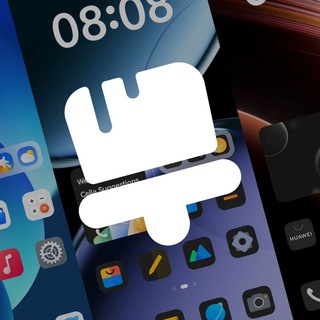
Transform Your Huawei Phone with Stunning Themes
Mini App • Themes & Wallpapers
About this App
Discover Themes for Huawei on Telegram Mini Apps
If you own a Huawei device, you know how important it is to keep your phone looking fresh and personalized. Themes for Huawei in Telegram Mini Apps is a powerful tool designed to help you do just that. Whether you're tired of the default look or just want to explore new designs, this app offers a seamless way to customize your device.
Themes for Huawei is built on MyrkaCode and MyrCloud technologies, ensuring a smooth and reliable experience. The app provides a wide range of themes, from minimalist designs to vibrant, eye-catching patterns. You can easily browse through the catalog and find the perfect theme that matches your style.
To get started, simply open Telegram and search for Themes for Huawei. The intuitive interface guides you through the process, making it easy for anyone to use, regardless of their technical expertise. Once you've found a theme you like, applying it to your Huawei device is just a few taps away.
One of the standout features of Themes for Huawei is its ability to update themes regularly. This means you'll always have access to the latest designs, ensuring your phone stays trendy and personalized. Whether you're looking for a new look every week or want to stick with a favorite theme, this app has you covered.
Step-by-Step Guide to Using Themes for Huawei
Using Themes for Huawei is straightforward, but here’s a detailed guide to help you get the most out of it:
📲 Step 1: Open Telegram and Navigate to Themes for Huawei
Start by launching Telegram on your device. Search for the app within Telegram Mini Apps. The app’s interface will appear, ready for you to explore.
🎨 Step 2: Browse the Theme Catalog
Scroll through the catalog to view the available themes. Each theme is displayed with a preview, so you can see how it will look on your Huawei device before applying it.
💡 Step 3: Select and Apply Your Favorite Theme
Once you’ve found a theme you like, select it and follow the on-screen instructions to apply it to your device. The app ensures that the theme is compatible with your Huawei model, so you don’t have to worry about any technical issues.
🌐 Step 4: Explore Additional Features
Themes for Huawei also offers additional customization options, such as changing icons, wallpapers, and fonts. Dive into these settings to further personalize your device.
🔧 Step 5: Regularly Update Themes
Keep your device looking fresh by regularly checking for new themes. The app notifies you of updates, ensuring you never miss out on the latest designs.
This step-by-step guide ensures that you can customize your Huawei device effortlessly, making it uniquely yours.
Who Can Benefit from Themes for Huawei?
Themes for Huawei is designed for a wide range of users, each with their own unique needs and preferences.
📱 For the Tech-Savvy: If you enjoy tweaking your device settings and exploring new customization options, this app offers advanced features that will keep you engaged.
🎨 For the Design Enthusiast: Whether you’re a graphic designer or just someone who appreciates good aesthetics, Themes for Huawei provides a variety of stylish themes to suit your taste.
⏱ For the Busy User: If you don’t have much time but still want to keep your device looking fresh, the app’s user-friendly interface and quick application process make it easy to update your phone’s look.
👶 For Beginners: Even if you’re new to customizing your device, Themes for Huawei’s straightforward guide ensures you can personalize your phone without any hassle.
No matter who you are, Themes for Huawei offers something for everyone, making it a versatile tool for all Huawei users.
Frequently Asked Questions
Is Themes for Huawei compatible with all Huawei models?▼
How often are new themes added to the app?▼
Can I customize icons and fonts with Themes for Huawei?▼
Based on affiliate data
Popularity
Last 7 days activity