About this App
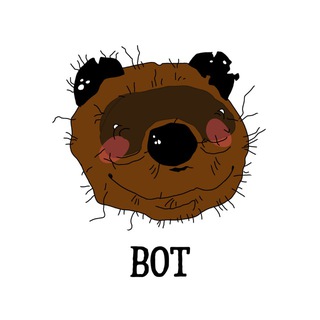
"I am the best trader of memecoins and want to make 1000x." That is how the Wonnie profile begins: a mascot character, a memecoin on the TON blockchain and a bot to peek into the project. It sounds fun, but behind the joke sit real money and real risks. 💎
The bot has around 299 thousand users. The interface is bilingual: /language switches the language, and /start launches or restarts the bot.
Who Wonnie is
Wonnie is the mascot of a memecoin on the TON network. The profile lists a website, a social media account and separate channels and chats in Russian and English. It also gives the token's contract address, so you can find it in a blockchain explorer.
Memecoins live on community and jokes. They usually have no product and no revenue, so the price depends on public attention and market mood.
What you can actually do in the bot
- Change the language with /language, Russian or English.
- Launch the bot through /start and move on to the project's materials.
- Find channels and chats to talk with the community.
- Compare the contract address with what other sources show.
What a memecoin is and why it is risky
A memecoin is a token whose value rests on memes and crowd belief. The dream of multiples attracts many, but most often the price falls after the first spike and late buyers are left at a loss.
The line "want 1000x" in the description is a joke about the market, not a promise. Neither the project nor anyone can guarantee growth, and you can lose the entire amount. ⚠️
Checks before buying
- Compare the contract address in the bot, on the website and in the official channels.
- Look in the explorer at how many holders there are and how tokens are distributed.
- Check liquidity: can you sell without a huge hit to the price.
- Find out who still holds rights over the contract and how many coins the creators have.
How scammers work
Around popular memecoins a crowd of fakes grows: fake bots, tokens with the same name, "giveaways" asking you to connect a wallet. Enter only through links from the profile, not from private messages. 🔍
Never share your seed phrase and do not sign unknown transactions. For buying, create a separate wallet and put in only the amount you are ready to lose.
A view on money
Many people suggest a small-share rule: only a minor part of capital goes to memecoins, the part you are ready to forget. Keep the rest in more predictable instruments. Do not borrow to buy tokens and do not invest money you need to live on. 💡
If the price drops, do not try to average down with your last money. Decide in advance at what loss you exit. On the memecoin market, emotions take over fast.
Who it interests
The bot suits people studying the TON ecosystem and memecoins who want an inside look at a mascot project. If you need reliable income, look for other ways. This is the territory of gambling, not investing. 🧭
Frequently Asked Questions
Is WONNIE paid?▼
Can I earn on the token?▼
How do I check the token is genuine?▼
What languages does the bot support?▼
Based on affiliate data