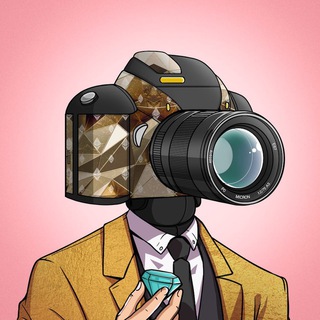
About this App
Almost everyone carries a phone with a decent camera, yet reasons to shoot anything besides lunch and cats are rare. PictoTapp turns photography into a game: you get tasks, you take pictures, and the result enters a contest of photos 📸
It is a Telegram mini app from the Pictographs project, a game about photography. Below is how the idea works, how it connects to the blockchain world and what to check before your first task.
Photo hunting instead of endless tapping
Most Telegram games rely on nonstop tapping. This one is built on a different base: photo quests. The app's profile talks about quests and "battles" between your pictures.
Pictographs describes itself as a photography game that nudges you to go outside, look around and notice details. For people who love shooting, that is a clear reason to keep the camera ready.
Where the game comes from
PictoTapp did not appear out of nowhere. Pictographs has its own documentation and website, plus a phone app where players complete daily photo tasks. The Telegram version is a lighter entry point into the same universe.
The project has a community: an English news channel with a large audience and a separate chat for players. To see what the game is up to now, start with the official channels instead of retellings in videos.
Camera, quests and token
The project's documentation outlines this scheme:
- NFT Camera. In the full game it opens access to daily quests.
- Photo quests. You shoot something that matches the task, and creativity and attention count.
- The $PICTO token. It is earned for completed quests in the project's main game.
- NFT rewards. They can be used inside the platform or traded on outside marketplaces.
What exactly is available in the Telegram version, see inside the app. Terms can differ from the full game and can change.
Starting without overspending
- Open the app through the bot and press /start.
- Read the rules of the first task before taking a picture.
- Shoot it yourself. Do not borrow photos from the internet, since that breaks the spirit of the game.
- Watch the permissions. The app should not demand access that a task does not need.
- Buy nothing until you understand how rewards work.
What to remember about tokens and NFTs
Games with tokens and NFTs lure people with talk of income, yet the value of a digital asset can drop to zero. Earnings for photos are not guaranteed, and it should not be treated as a job.
If the app asks you to connect a wallet, make sure you are in the official app and that the link came from the project's profile. Never share a seed phrase or private key, because support does not need them ⚠️
Who will enjoy it
Mobile photography fans who want to train their eye and get surprising subjects to shoot. Parents looking for a reason to take a kid on a walk with a phone. People who like the idea of digital collections 🖼
If you only care about quick money, look elsewhere: here you have to shoot, wait and learn the rules.
Frequently Asked Questions
What is PictoTapp?▼
Can you make money with it?▼
Do I need an NFT or a wallet to start?▼
Where do I follow news and ask questions?▼
Based on affiliate data