About this App
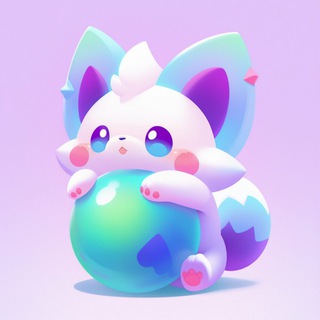
Tap-to-earn games promise crypto for clicks, and plenty of people are tired of identical ones. P1: MyPal adds collecting to the formula: you catch "pals", little game creatures, and the rarer the catch, the bigger the reward. 🎒
A creature collection instead of plain tapping
The game's description reads: capture pals, have fun and earn. The idea is that creatures come in different rarities, and rarer ones pay more.
The game grew out of an ecosystem built around a gaming blockchain project. According to the developers, the game passed a million players in autumn 2024. That figure comes from the team itself and has no independent confirmation.
What the project promises
- Free start: you can begin without spending anything.
- Rarity: the rarer the creature, the higher the reward.
- Tokens and airdrop: the project talks about distributing tokens to players.
- Backing: the team mentions a ten million dollar raise and incubation by a large fund.
Funding and partner claims come from the project itself. For you as a player they are not a guarantee of payouts.
Getting going
- Open the bot and launch the mini app.
- Catch your first pals following the in-game hints.
- Complete tasks and visit regularly so progress is not lost.
- Follow the official announcement channel to hear about rule changes.
The opening stage takes about ten minutes. After that, progress comes from regular visits.
What a promised airdrop really means
An airdrop is a free distribution of tokens to players. In Telegram games it often becomes the main reason to play, but the real payout can fall short of expectations, and sometimes it is delayed or cancelled.
A token may reach the market at a low price or not appear at all. Do not build plans around future tokens. ⚠️
Safe play rules
- Do not put in money for faster growth: there is no refund guarantee.
- Do not connect a wallet holding large sums. Create a separate one with a minimal balance.
- Never share your seed phrase, even with "support".
- Ignore messages about "urgent reward claims" with links from outside sources.
Scammers love popular games. Any request to pay a fee to receive tokens is a sign of fraud.
Who it is for
For people who enjoy collecting and discovering things, and who treat crypto as a bonus rather than income. Dropping in for five minutes a day and forgetting about it is a perfectly fine pace for a project like this. 🙂
If you need stable earnings, games of this genre are not the way.
The short version
P1: MyPal is a free collecting game in Telegram that promises rewards for rare creatures. Play for the fun of it, and keep both spending and token expectations low.
Frequently Asked Questions
Is P1: MyPal free?▼
Can you really earn from it?▼
Is it safe to connect a wallet?▼
What if the game will not open?▼
Based on affiliate data