About this App
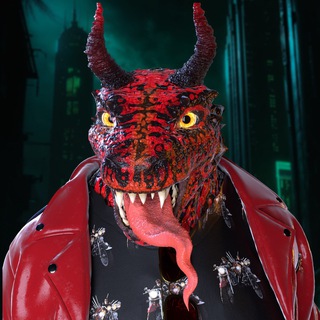
Humanity lost its war with artificial intelligence, and an army of fighting lizards has taken on the job of rebuilding civilization. That is the story behind LizArts, a Telegram game on the TON blockchain. The bot greets you with a promise: join before the big drop 🦎
Over 400,000 people have launched the game, but only a few dozen play monthly now. Here is what is inside and how to approach it.
The world of LizArts
Every action in the game earns rewards: in-game points plus competitions and events with other players. The interface comes in English, Russian and Ukrainian, and you can play in Telegram or a browser.
The game sits inside a wider ecosystem: an announcements channel, a player chat and an NFT collection featuring the lizards.
Where money enters the picture
- Wallet. You connect one to take part in the future airdrop and to buy NFTs.
- VIP for TON. Reviews say a paid status speeds up coin collection.
- NFT collection. Digital lizards are sold for crypto on TON marketplaces.
You cannot withdraw money from the app directly. In-game coins gain value only if the project issues a token and it lists on an exchange.
What we know about the drop
The project never named a listing date for its token. Back in 2024 reviewers pointed out that the official channel gave no timeframe at all. Recent news about payouts is nowhere to be found ⏳
Add the drop in activity to a few dozen players a month, and the picture is clear: counting on a big airdrop here is risky.
How not to lose money
- Skip VIP bought for a future token. If the token never launches, the TON you spent is gone.
- Buy NFTs only as collectibles you like for their own sake, never as an investment.
- Connect a separate wallet with a small balance, not the one holding your savings.
- Check which bot is current. The project has switched bot handles before, so confirm through the official channel.
- Never share your seed phrase, even with someone claiming to be the team.
Who might still enjoy it
If you like the post-apocalyptic setting and the art style, LizArts can fill a couple of evenings with tasks. Basic actions are free 🎮
If you want to earn, look elsewhere or at least do not put in a single TON. Drop-based games often stretch out the wait, and paid statuses only pay off with a successful listing that may never happen.
Frequently Asked Questions
Can I withdraw money from LizArts?▼
Is VIP worth buying with TON?▼
Why connect a wallet?▼
Which languages does it support?▼
Based on affiliate data