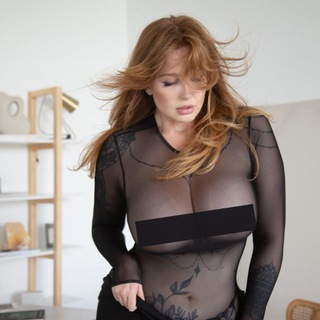
About this App
Many blog authors move the most personal material out of the open channel and into a place where only subscribers who paid can see it. Hell Voron works this way. It is the author's official bot that sells private photo sessions published nowhere else. 📸
The bot has around 1300 users in the catalog. Below is how it works according to its description and what to check before paying.
What the profile says
The bot presents itself as the place to buy the author's exclusive private photo sessions that are not published openly. To launch the bot and refresh new sessions, you press /start.
The profile also states that this is the official bot and that the author has an official channel. That detail matters, because fakes of popular authors are common in Telegram.
Five bot commands
The menu is small and clear:
- /start restarts the bot and pulls in new sessions.
- /plans shows subscription options.
- /subscription shows your active subscriptions.
- /donate lets you send the author a donation.
- /help is for asking a question.
Prices and plan contents are inside the bot, not in the profile text, so compare the terms yourself.
How a paid author bot works
The scheme is simple: the author posts materials, the bot checks payment and opens access. Money goes straight to the author or through a payment provider.
- You pick a plan through /plans.
- You pay for the subscription.
- The bot opens the private sessions.
- New materials arrive as they are released.
Subscriptions: what to check before paying
Before a payment, find out the term, the price and the renewal conditions. A subscription may renew automatically, and then the money is charged again.
Look at which payment method is offered and make sure you know it. Keep the receipt because you will need it if access does not open. 💳
Telling the official bot from a copy
Fakes of well known authors turn up often. They copy the name and promise the same thing, but take money and give nothing.
Take the link only from the author's own profile: the bot description matches the channel link and the channel points back to the bot. If someone sent you a link in a private message, stop. 🔎
Private content and personal boundaries
Paid access to an author's photos means you receive materials for personal viewing. You may not forward, post or resell them, since that breaks the author's rights and Telegram's rules.
If you are under 18, skip services like this. Mind your privacy too: enter payment details only in trusted forms and never send anyone your documents.
Donations: voluntary and without strings
The donate command is for people who want to support the author without a subscription. It is voluntary and does not open the private section unless that is stated separately.
Remember that a donation cannot be reversed without the recipient's consent. Send only an amount you will not regret.
Frequently Asked Questions
What is Hell Voron in Telegram?▼
Which commands does the bot have?▼
How do I avoid buying a fake?▼
What if access did not open after payment?▼
Based on affiliate data