About this App
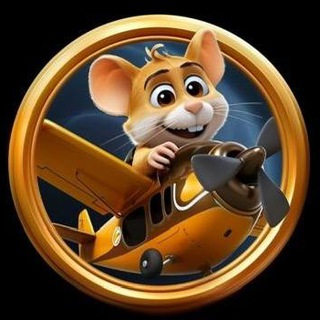
A hamster in an airplane cockpit sounds like a joke, but that is exactly what Hamsta Pilot is built on. You fly different planes, upgrade your pilot, finish tasks and earn coins. It launches right in Telegram with no install. 🐹✈️
What the game consists of
The bot's description lists four activities:
- Flights. Different plane models are available.
- Upgrades. You can develop the plane and the pilot.
- Tasks. They reward you with coins.
- Coins. The in-game currency you collect as you play.
The game's channel tagline sums up the goal briefly: upgrade your hamster pilot. 🛩️
First launch
The bot has one command, /start, which launches the game. After that everything happens in the mini app: you pick a plane, see what can be upgraded, and take your first tasks.
- Press /start and open the game.
- Choose a starter plane.
- Finish the first tasks to get coins.
- Spend coins on the upgrades that help most.
- Come back regularly so you do not lose pace.
How to behave in tap and simulator games
Games of this type share a logic: progress comes from time and regularity, not from complex skills. That is convenient but easy to get hooked on.
- Limit. Decide in advance how many minutes a day you spend.
- Priority. Upgrade first what raises your coin income.
- Skepticism. Pretty posts about an upcoming listing guarantee nothing.
About coins and money
Coins inside the game are game currency. The bot's description does not promise that they can be exchanged for money or tokens, and you should not count on it. If such options appear later, you will need to read the terms yourself.
Do not put in real money to speed up progress. If you like the game, spend time, not your wallet. ⚠️
Watch out for fakes
Popular hamster games have many clones. Fakes ask you to connect a wallet, enter a recovery phrase or send a little money for activation.
Remember simple rules: never type your recovery phrase anywhere, never send money to strangers, and open the game only through a trusted link from the project's channel. Then the risk is small. 🔒
Who the game fits
It fits people who like light mobile entertainment and cute graphics. If you want deep strategy with planning, look for something more serious: here you will mostly collect, upgrade and wait.
For five minutes of relaxation that is plenty. 🙂
Frequently Asked Questions
What do I do in Hamsta Pilot?▼
What commands does the bot have?▼
Can I exchange coins for money?▼
How do I avoid a fake version?▼
Based on affiliate data