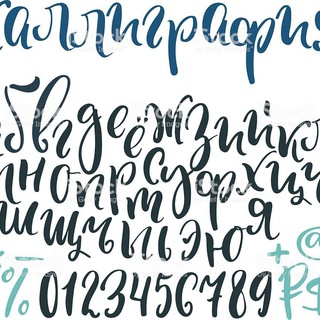
Transform Your Text with Beautiful Fonts
Bot • Images & Photos
About this App
First Look at Telegram Mini Apps Font Catalog
When I first opened the Telegram Mini Apps Font Catalog, I was greeted with a simple and intuitive interface. The app allows you to transform your text into various beautiful fonts with just a few taps. The design is clean, making it easy to navigate and find the perfect font for your needs.
Key Features:
• Wide selection of fonts
• Easy-to-use interface
• Quick text transformation
As soon as I entered a sample text, the app instantly displayed it in different font styles. The variety of fonts available is impressive, ranging from elegant script fonts to bold and modern typefaces.
How to Use the Font Catalog
Using the Telegram Mini Apps Font Catalog is straightforward. Here’s a step-by-step guide:
1️⃣ Open the App: Launch the app within Telegram.
2️⃣ Enter Your Text: Type or paste the text you want to transform.
3️⃣ Select a Font: Browse through the available fonts and choose one.
4️⃣ Copy and Use: Once you’ve selected a font, copy the transformed text and use it wherever you need.
Tips for Best Results:
• Experiment with different fonts to find the perfect match.
• Use shorter text for better readability.
• Ensure the context matches the font style for maximum impact.
Why Beautiful Fonts Matter
Fonts play a crucial role in design and communication. They can set the tone, convey emotions, and enhance the overall aesthetic of your content. Beautiful fonts:
• Capture attention
• Improve readability
• Convey professionalism
With the Telegram Mini Apps Font Catalog, you can elevate your projects by choosing fonts that align with your message and audience. Whether you’re working on a presentation, social media post, or personal project, the right font can make all the difference.
Practical Applications
The Telegram Mini Apps Font Catalog is versatile and can be used in various scenarios:
Social Media Posts: Stand out with unique font styles.
Presentations: Enhance slides with professional fonts.
Personal Projects: Add a creative touch to invitations, posters, and more.
Example: Imagine you’re designing a wedding invitation. Using a script font from the catalog can add an elegant and personalized touch, making your invitation truly special.
Frequently Asked Questions
Can I use these fonts commercially?▼
Is the app free to use?▼
How often are new fonts added?▼
Can I preview fonts before selecting?▼
Is there a limit to the text length?▼
Reviews
emma_write
I love the variety of fonts available. It’s perfect for adding a creative touch to my social media posts. The interface is user-friendly, making it easy to find what I need.
john_trade
The font transformation is quick and seamless. However, I wish there were more options for bold and modern fonts. Overall, it’s a handy tool for presentations.
lisa_photo
I use this app for designing wedding invitations. The script fonts are elegant and perfect for the occasion. It’s a game-changer for my projects.
david_code
The app works well, but I’ve noticed that some fonts don’t render correctly on all platforms. It’s great for Telegram, but I’d like better compatibility.
anna_art
The font catalog is a lifesaver for my art projects. The ability to preview fonts helps me choose the best style every time. Highly recommended for designers.
Based on affiliate data
Popularity
Last 7 days activity