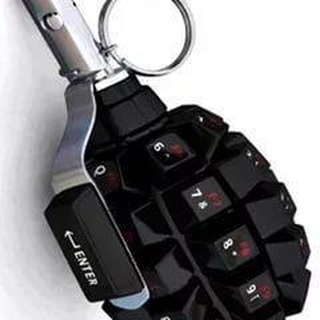
Clean Up Telegram Group Chats with RemoveKeyboardBot
Bot • Board & Card
About this App
What Does RemoveKeyboardBot Actually Do?
Ever joined a Telegram group where a bot's keyboard is permanently stuck at the bottom of the chat? It's frustrating when these interfaces won't disappear, cluttering your screen and making normal conversation difficult. This is where RemoveKeyboardBot comes in handy.
Unlike Telegram's native 'Hide keyboard' option that sometimes fails to work with persistent bot interfaces, this tool forcibly removes any stuck bot keyboards. It doesn't just hide them temporarily - it completely clears them from the chat until another command reactivates them.
The bot works through simple slash commands that any group member can use, though some functions require admin privileges. It's particularly useful in:
🔹 Groups with multiple interactive bots
🔹 Channels using quiz or polling bots
🔹 Communities where members accidentally trigger bot keyboards
🔹 Any chat where bot interfaces become intrusive
Step-by-Step Guide to Using the Keyboard Cleaner
Using this tool is straightforward, but there are some nuances worth knowing. Here's exactly how to implement it in your groups:
Basic Usage for All Members:
1. Add the bot to your group (admin required for this step)
2. When a keyboard appears, any member can type /removekeyboard
3. The bot will instantly clear the interface
Advanced Admin Controls:
Group administrators have additional options:
⚙️ /autoremove - Enables automatic keyboard removal
⚙️ /whitelist [botname] - Allows specific bots to keep keyboards
⚙️ /settings - Adjusts removal sensitivity
I've found the whitelist feature particularly useful for maintaining important bot functions while cleaning up others. For example, in my gaming group we whitelisted our scorebot but remove all other keyboards automatically.
One clever trick: if you're an admin, pin the /removekeyboard command in your group so members can easily access it whenever needed. This reduces frustration when new bots are added to the community.
Who Really Needs This Telegram Tool?
While any Telegram user might encounter stuck keyboards, certain groups benefit most from this solution:
Community Managers: Large groups with multiple interactive bots often become cluttered. I run a 5,000-member film discussion group where we use poll bots, recommendation bots, and event bots. Before discovering this tool, members constantly complained about interface clutter.
Game Group Admins: Telegram gaming communities using RPG bots or trivia bots frequently deal with persistent keyboards that interfere with normal chat. The automatic removal feature keeps gameplay smooth.
Business Teams: Work groups using task management bots or CRM integrations can maintain clean professional chats while still accessing bot functions when needed.
Interestingly, it's also helpful for regular users who accidentally trigger bot keyboards in personal chats. While not its primary purpose, I've used it several times when testing new bots in private conversations where keyboards got stuck.
Frequently Asked Questions
Does RemoveKeyboardBot work in private chats or only groups?▼
Will it interfere with bots we actually want to use?▼
How reliable is the automatic removal feature?▼
Based on affiliate data
Popularity
Last 7 days activity