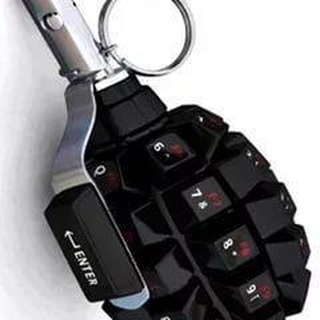
About this App
A familiar annoyance: the bot left your group long ago, but its buttons still hang at the bottom of the screen and cover half the chat. RemoveKeyboardBot was made for these cases. It takes care of nasty keyboards that got stuck and will not leave. 🧹
The bot comes from the WJClub developers, and that is how it introduces itself: if a nasty keyboard is stuck in your group, it will handle it.
Why keyboards get stuck at all
Bots can show users a keyboard with ready-made buttons. By Telegram rules, such a keyboard stays on screen until the bot sends a message telling it to disappear.
If the bot was removed from the group before it could do that, the buttons stay. The admin did everything right, yet members keep seeing them.
How to use it
The scheme is very simple, with almost no settings. 🔧
- Find RemoveKeyboardBot in Telegram search.
- Add it to the group where the keyboard is stuck.
- The bot automatically tries to clear the stuck buttons.
- Check the chat. If the buttons are gone, you can remove the bot.
You do not need to keep it in the group forever. Usually its presence is enough for the keyboard to go away.
If the keyboard is still there
Sometimes the Telegram client keeps showing an old interface. A few simple tricks help.
- Collapse the keyboard. Tap the buttons icon next to the input field.
- Restart the app. Close Telegram and open it again.
- Refresh the chat. Go back to the main screen and return to the group.
- Wait a little. The change sometimes applies with a delay.
If you build bots
You can remove the keyboard yourself. Send a message with the keyboard removal object and the remove_keyboard parameter set to true. Telegram clients then bring back the standard layout.
There is also a selective parameter: it removes the keyboard only for chosen users. Handy in big groups where not everyone needs the buttons. 💡
Who it helps
Group admins who connected and disconnected bots for polls, games or moderation. Regular members tired of dangling buttons. And developers who test bots and do not want to clean up by hand.
Give the bot only the rights needed for work in a group. With any unfamiliar bot in a chat, it is always worth checking permissions. 🔒
A small habit that saves nerves
Checking whether a bot left a keyboard behind before you remove it will spare you this problem. But if something still got stuck, now you know where to go.
It is nice when one bot and one click solve a problem. The rest of the time your chat stays clean and comfortable. 😊
Reply buttons versus inline buttons
What gets stuck is the reply keyboard, which replaces the normal layout. Its buttons send text to the chat, so they take up room under the input field.
Inline buttons live right under the bot message and do not get in the way. They disappear with the message, so they never cause this problem.
- Reply keyboard. Hangs at the bottom until the bot removes it.
- Inline buttons. Tied to a specific message.
If your group has many bots, agree with admins that each bot clears its keyboard after a game or poll ends. That spares every member the extra noise.
And if you build your own bot, add a keyboard cleanup step to the script. Then you will need a third-party helper less often.
Frequently Asked Questions
What does RemoveKeyboardBot do?▼
How do I use the bot?▼
What if the keyboard stays?▼
How do I remove a keyboard as a developer?▼
Based on affiliate data
Popularity
Last 7 days activity