Uygulama hakkında
Açıklama henüz dilinizde mevcut değil, bu yüzden İngilizce gösteriliyor.
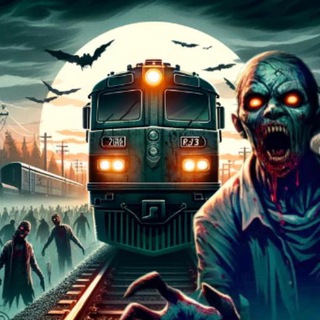
The apocalypse has arrived, zombies are on the rails, and you have a train. ZombieTrain: Choo Choo turns a five-minute break into a short expedition along abandoned tracks 🚂🧟. The game launches right inside Telegram.
The goal is simple: get as far as you can without letting the undead stop your train. The longer the route, the more cash you earn, and the cash goes into upgrades.
Every mile pays
The game description says cash comes in for every mile traveled. This is the core of progress: go farther, earn more, spend it on the train.
- In-game earnings. Rewards come in internal currency.
- Upgrades. You can reinforce the train with epic enhancements.
- Ten rides. Ten different trains to collect.
What the wasteland map holds
The route crosses wastelands with new challenges and scenery teeming with zombies. Every stretch is a bit harder than the last.
The game is described as casual and stress-free: you can play any time, progress is saved, and you can return to the journey whenever you like.
The first launch, step by step
- Open the bot and start the Mini App.
- Begin the first run on the starter train.
- Spend what you earned on an upgrade.
- Get a new ride when you can afford it.
Play for time, not for money
The in-game currency exists only to upgrade the train. Do not treat it as real income. If the mini game offers paid boosts, judge whether the fun is worth the money and set a limit in advance.
Games like this rely on the habit of returning again and again, so set a time limit. Ten to fifteen minutes a day is enough for calm progress.
A few tips for long runs
Upgrade the train evenly rather than a single stat. Notice which upgrades give the most miles per coin spent and invest in them first.
Do not rush to buy the priciest ride right away. Save for upgrades on your current one first: you will go farther and earn faster.
If the Mini App will not open
Update Telegram, close and reopen the game and check your connection. Progress is saved, so after a restart you continue from the same place.
If the problem repeats, wait a little and come back later: Mini App glitches are usually temporary.
Sıkça sorulan sorular
What is ZombieTrain: Choo Choo about?▼
Can I withdraw the cash I earn?▼
Do I have to pay to play?▼
What if my progress is gone?▼
Ortaklık verilerine göre