Uygulama hakkında
Açıklama henüz dilinizde mevcut değil, bu yüzden İngilizce gösteriliyor.
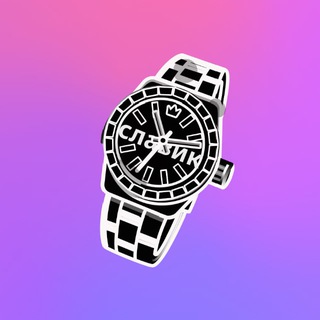
You want an emoji with your own word in your channel or chat: a project name, a nickname or a short slogan. Drawing it by hand takes long, and hiring a designer costs money. Emoji Editor makes emojis with your text right inside Telegram. 🙂
The author claims the lowest price on the market. The bot shows what an order costs after launch, and the owner answers questions as support.
The idea in brief
You send text, the bot turns it into an emoji. There is a single command: /start. Everything else happens in the dialogue with the bot.
Such emojis come in handy when stock smileys are not enough. A brand, a meme, an author's name, an inside joke: all of it can be packed into a small picture.
Why channels and chats want them
- Own style. An icon with the channel name is recognised faster than a regular smiley.
- Reactions and post design. Custom emojis make a feed livelier and set you apart from dozens of similar channels.
- Community. Inside jokes become a set of icons that every member uses.
- Status. A short word beside a username is noticed at once.
What to know about custom emojis
In Telegram such emojis are not available to everyone. Telegram Premium subscribers can insert them into messages and put them next to a username. Viewers without a subscription usually see them as a picture inside the text.
So decide before ordering where you will use them. If your audience is mostly without Premium, the effect is more modest. 💡
How to order
- Open the bot and press /start.
- Read the terms and the price in the bot's message.
- Send the text you want to see on the emoji.
- Get the result and check that the lettering reads at small size.
Tip: the shorter the word, the better it looks. A square the size of a regular smiley fits two to four characters. ✅
Making the lettering readable
An emoji is displayed small, so thin lines and long words get lost. Choose short words, preferably in capitals, and check the result on a phone, not only on a large screen.
Contrast matters more than beauty: dark text on a light background or the reverse reads better than delicate shades. If the lettering is unreadable, order a shorter version. 🔎
Before wide use, show the emoji to a couple of friends. A fresh pair of eyes spots a typo or a poor colour at once.
Money and safety
Paid services in bots deserve attention. Pay only in the ways the bot itself shows, and keep proof of payment. Do not transfer money at the request of strangers in private messages.
If a problem comes up, write to the owner, who is listed in the bot description as support. Do not send passwords, codes or card details: support never needs them. ⚠️
Who it suits
Channel authors, chat admins and anyone building a brand in Telegram. People who want an unusual badge for a community. And simply emoji fans.
Complex animations and big sets call for a designer. The bot covers a simple task: getting an emoji with text quickly.
Sıkça sorulan sorular
How much does an emoji cost in Emoji Editor?▼
Do I need Telegram Premium?▼
What commands does the bot have?▼
Where do I go if something goes wrong?▼
Ortaklık verilerine göre