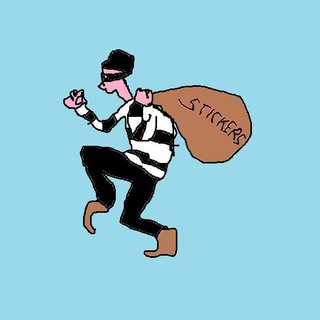
About this App
You spotted a sticker in a chat that matches your mood perfectly, but you do not want its entire pack. Stickers Thief builds your own packs from other stickers and uploaded images. You get a collection tailored to you instead of scrolling through hundreds of extras. 🎭
What this bot does
The bot helps you create sticker packs and manage them. It works with static and animated stickers, and it also accepts ordinary PNG images.
When a sticker is added to your pack, it keeps all the emojis of the original. That helps later: emoji search finds the right stickers faster. 🔍
Twelve commands and what they are for
- /create. Starts a new pack.
- /add. Adds stickers to an existing pack.
- /remove. Takes a sticker out of a pack.
- /list. Shows your packs.
- /export. Exports a pack as a zip archive.
- /tofile. Turns stickers and custom emojis into files.
- /toemoji. Resizes a sticker so it can be used as an emoji.
- /readd. Saves a pack that the bot created.
The rest are service commands: /done finishes an operation, /cancel aborts it, /cleanup clears packs deleted in Telegram's official sticker bot from the database, and /forgetme removes you from the bot's database.
Your own pack in five steps
- Send /create. The bot asks for the name of the new pack.
- Pick a name. Keep it clear and within Telegram's rules.
- Send the first sticker. It can come from another pack, or be an image.
- Add the rest. Keep sending them one by one, then press /done.
- Open the pack. It shows up in your list and in the sticker panel.
What about copyright
Artists make stickers, and they hold the rights. A personal pack that you use in your own chats usually raises fewer problems than a published one.
Do not post other people's work as yours and do not sell it. If you want to publish a pack, draw your own stickers or get the author's permission. ⚖️
A backup of your collection
The /export command helps you save stickers to a computer. The archive is handy if a pack gets deleted or you want to move your work to another format. 💾
Keeping copies helps those who draw stickers themselves: originals will not vanish after an accidental mistake.
Privacy and order
The /forgetme command deletes you from the bot's database if you stop using it. It is a good way to tidy up.
Do not send the bot personal photos that must not reach strangers. For stickers, use edited images without unneeded details. 🔐
Quality tips
For a sticker made from an image, a PNG with a transparent background works best. The bot resizes it for you, but a sharp source gives a clean result.
Choose emojis so the pack is easy to search: one sticker, one clear emotion. Do not attach ten different meanings to one picture.
Frequently Asked Questions
How is Stickers Thief different from making packs by hand?▼
Which commands are the most useful?▼
May I use other people's stickers?▼
How do I delete my data from the bot?▼
Based on affiliate data
Popularity
Last 7 days activity