Sobre o aplicativo
A descrição ainda não está disponível no seu idioma, por isso é exibida em inglês.
Ten tabs, three apps, and a habit of checking every half hour whether something new came out. EventsAggregator cuts that running around: you subscribe to the sources you care about, and new posts land in Telegram on their own. 📬
Despite the name, it is not a listings board or a ticket seller. The bot forwards updates from social networks, video platforms, streams, and news feeds.
Sources it can follow
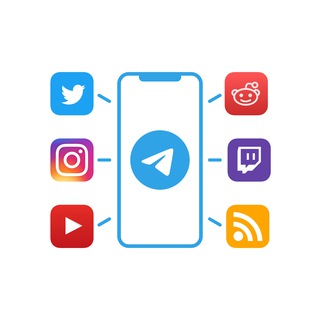
According to the bot profile, it watches accounts on microblogging and photo networks, channels on a video platform, streaming channels, communities on a forum platform, and RSS feeds. Each source type has its own command.
- /add and /addtwitter. Subscribe to new posts of a microblog account.
- /addinstagram. New photos from the chosen account.
- /addyoutube. New videos from a channel.
- /addtwitch. Alerts from a streamer.
- /addreddit. Subscribe to a community.
- /addrss. Any RSS feed: a blog, a news site, a forum.
Your first subscription in a minute
- Open the bot and start it with /start.
- Pick the command for your source type, for example /addyoutube.
- Send the name or address of the account, channel, or feed as the bot asks.
- Check the list with /list.
- Drop what you no longer need with /remove.
You can call up the command help at any time with /help.
RSS: old, plain, still handy
RSS is a simple format where a site publishes its latest headlines as a machine-readable list. Most blogs, news portals, and many shops have one. The bot reads such a feed and sends you new entries with no ads and no recommendation algorithm.
It is one of the few ways to get news only from people you picked yourself. If a site hides its feed link, you can often find it in the page source or the site settings.
Groups and channels
The bot is not limited to private chats. You can add it to groups, and the project has announced channel support too: the settings include a channel binding that you set up from a private chat. After that you manage the channel subscriptions with the same /add and /remove commands. 🔗
That lets you build a themed feed for a team, a club, or a community without pasting news by hand.
Know the limits first
The bot polls other platforms, and each one has its own rules and request limits. In practice that means pauses, delays, and a cap on the number of subscriptions are possible. Instant delivery is not something to count on.
- Do not rely on it for urgent things. For time-critical alerts, use the platform's own official notifications.
- Do not add everything. A hundred subscriptions turn the chat into a junk drawer and the useful posts get lost.
- Private accounts. A locked profile usually cannot be read by a bot.
- Quiet mode. Mute the chat so you do not flinch at every post.
Who gets the most from it
People who follow creators, releases, industry news, or streamers. Journalists and marketers who need to watch a dozen sources. Anyone tired of recommendation feeds who wants a plain chronological stream. 🧭
Questions before subscribing
A quick look at what people ask most often.
Perguntas frequentes
What is EventsAggregator for?▼
How do I unsubscribe or clean up?▼
Can I connect it to my own channel?▼
Why are updates late or no longer coming?▼
Com base em dados de afiliados