About this App
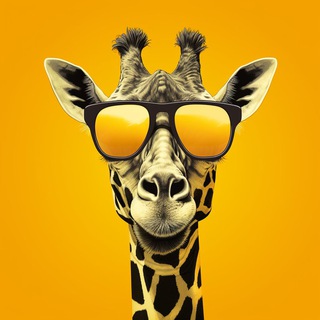
You want a polished portrait, but there is no photographer, no studio and no free weekend. Melman (the profile carries a giraffe 🦒) puts neural networks for images, video and text into a single Telegram chat, so you skip installing separate apps.
The bot has passed 127 thousand users and describes itself in one line: the best neural networks in one place.
A selfie in, a photo shoot out
The main scenario is simple. You send your own picture, pick a model and a look, and the network draws a set of frames with you in a different setting. Think studio portrait, city walk, winter postcard or an old film look.
The outcome depends on the source photo. A clear face and even light give a much better chance of a likeness.
Three commands that run the whole thing
The interface is minimal and rests on three commands:
- /start launches the bot and shows the greeting.
- /menu opens the main menu with models and modes.
- /payment leads to topping up your balance.
If you get lost among the buttons, type /menu again.
Photo, video and text under one roof
The bot's description lists several neural networks from different developers: for images, for video and for text chat. You do not have to register with each service or work out how they differ.
Pictures usually come back quickly. Video takes longer, often a few minutes, so a delayed reply is not a reason to panic or close the chat.
Getting a good frame on the first try
- Choose a photo with one person in the frame, without dark glasses or heavy filters.
- Pick a model in the menu and describe the look in plain words: clothes, place, mood.
- Name one or two striking details instead of ten. Overloaded prompts tend to produce a mess.
- If the first result misses, change a single detail and run it again.
For a series in one style, reuse the same wording for light and background. The frames then read as one shoot.
How payment and balance work
Generations in bots like this are paid from an internal balance. You top it up with /payment, and the cost depends on the model and the kind of result. Heavy tasks such as video usually cost more than pictures.
Check the current terms inside the bot before you pay, and start with a small amount. That tells you whether the quality suits you before you commit more.
Where to be careful
You are handing the bot your own face. Upload only pictures you are comfortable sharing, and never send someone else's photo without their consent. Passport scans, documents and intimate images do not belong in a service like this.
Think about ethics too: realistic pictures of real people are easy to turn into a deception. When you post a result, say that a neural network made it.
Networks still slip on details. Extra fingers, garbled signs and uneven teeth turn up now and then, so check important frames with your own eyes.
Updates and support
The bot's profile points to a separate channel with ideas and announcements and to a support contact. If money was charged and no result arrived, write there and include the time of your request.
Frequently Asked Questions
What can Melman do?▼
How much does it cost to use?▼
Is it safe to send my photos?▼
What if the result never arrives or does not look like me?▼
Based on affiliate data
Popularity
Last 7 days activity