ऐप के बारे में
विवरण अभी आपकी भाषा में उपलब्ध नहीं है, इसलिए इसे अंग्रेज़ी में दिखाया गया है।
A friend asks where to meet. You type an address, they ask again, you spell out the street. You could have sent a pin in two seconds. That is exactly what LocPlaceBot is for. 📍
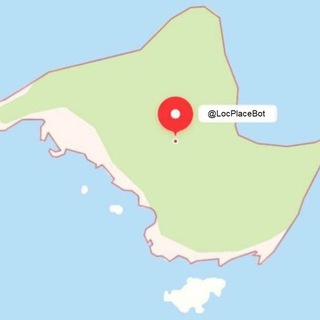
It is an inline bot: it works in any chat where you type its name. You enter a place name or coordinates, pick a result, and a location lands in the conversation that the other person opens on a map with one tap.
How inline mode works
Inline means you do not have to add the bot to a group or open a separate dialog. In the message field of any chat, type its name, a space and a query, such as the name of a famous landmark.
A list of matching places appears under the field. Tap the right one and it goes out as a regular map pin.
What the bot can do
- Search by name. A landmark, a cafe, a street, a city: write what it is called.
- Search by coordinates. If you know latitude and longitude, the bot turns them into a map point.
- Group chats. The /loc command handles searching inside groups.
- Language. The /setlang command changes the bot's language.
- Your position. The /setloc command clarifies where you are so results come out closer to you.
The /help command prints a guide to everything.
Why set your own location
Names repeat: a coffee shop with the same name exists in every city, and a "Central Market" turns up dozens of times. Without a hint, the bot cannot know which one you mean.
The /setloc command fixes that: places near you rank higher in the list. It helps most while traveling, when you search for familiar names in an unfamiliar city.
When it comes in handy
- You are arranging a meeting and need to show the exact entrance, rather than only an address.
- You are planning a trip with friends and sharing a list of spots.
- You are organizing an event and do not want guests to get lost.
- You have coordinates from notes or a document and need to show them on a map.
In every case, the recipient sees an interactive point and can open a route in their own maps app right away.
Who is behind it
The bot is written by an independent developer in the Rust language, and its source code is open. Open code means anyone can look at how it works or run their own copy.
That earns some trust: it is easy to learn what the bot does with queries. Still, keep the general rule in mind: do not send an exact home location into a chat unless you are sure of the recipient. 🔒
Keeping your location private
- Send a pin only to people you trust.
- Check that the chosen result is the right place and not a namesake in another city.
- In public chats, name a general meeting point instead of a home address.
- If /setloc asks for your position, give an approximate one rather than a precise one.
The bot is a quick helper: it does not build routes or replace a route-planning app, but it shortens the path from a word to a point on the map.
अक्सर पूछे जाने वाले सवाल
How do I send a place with LocPlaceBot?▼
What is the /loc command for?▼
Can I search by coordinates?▼
Is the bot's code open?▼
एफ़िलिएट डेटा के आधार पर