ऐप के बारे में
विवरण अभी आपकी भाषा में उपलब्ध नहीं है, इसलिए इसे अंग्रेज़ी में दिखाया गया है।
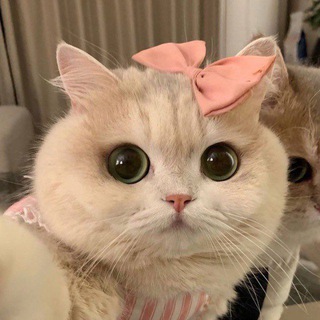
The chat is created, members are added, and a week later it is silent. A familiar story for any admin. Kitty is made for groups like that: an entertainment bot with AI that tries to liven up the conversation 😽
The authors promise three things: raise activity, cheer up the chat and support conversation. The bot is free, and connecting it to a group takes a couple of minutes.
What the bot does in a group
Kitty becomes one more participant in the conversation. It answers remarks, jokes, picks up topics and keeps a dialogue from fading. When people go quiet, a light line from the bot sometimes helps start a talk.
It is important to understand the role: the bot does not replace live people or a good moderator. It sets a background and gives a reason to react, while real conversation stays with the members.
Connecting it to your group
- Open the private chat with the bot and press /start.
- Run /add to connect a group and follow the prompts.
- Add the bot to the conversation and grant the rights it needs.
- Open /settings and tune behavior for your audience.
- Check /commands to see what the bot can do on request.
Menu commands
- /start. Launches the bot and shows the main menu.
- /add. Connects a group.
- /settings. Settings for how it works in the chat.
- /commands. The list of available commands.
- /vip. Turns off ads.
Ads and VIP
The bot is free, and its description says so. It is clear that it has ads: the profile has a link for advertisers, and the /vip command turns off the display of promotions 📢
Check the VIP terms right in the bot. If ads bother your group, this is the most direct way to remove them.
What an admin should watch
An AI bot replies automatically, which means it can say something off. Check the settings and watch its behavior for a few days before leaving it unattended ⚠️
If the group has children, a special topic or a work purpose, the bot's jokes may be out of place. Tell members the rules: what the bot writes automatically and that nobody should send it personal data.
Mind the rights too. Give the bot only what it needs to work and remove the rest. If you no longer need it, simply remove it from the group.
One bot will not save a chat that lacks an idea. Keep the group alive yourself: ask questions, run short polls, pin useful messages. The bot complements those efforts but does not replace them 💬
How much bot a chat needs
An overly active bot gets annoying. If it answers every message, people start ignoring both the bot and the chat. Begin with a moderate mode and watch how members react.
Ask the people themselves whether they like such a partner. One poll in the group is enough to decide whether the bot stays 🗳️
Who it fits
Admins of entertainment and friendly chats where silence hurts. Small communities that want a light background buzz. And anyone curious to see how an AI conversation partner behaves in company.
अक्सर पूछे जाने वाले सवाल
How do I connect Kitty to a group?▼
Is the bot paid?▼
Can the bot write something inappropriate?▼
What if the bot gets annoying?▼
एफ़िलिएट डेटा के आधार पर