About this App
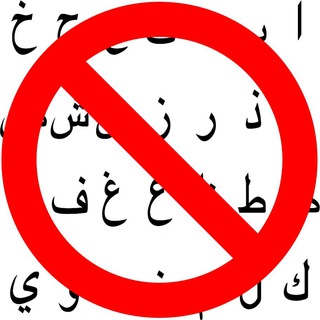
A spammer joins your chat and floods it with messages in Arabic. You delete one, three more arrive. AntiArabicScriptBot does that cleanup for you: it spots messages in Arabic script and removes them on its own. 🧹
The bot's own description fits in one line: it removes messages that contain Arabic script. There are no menus and no complicated settings.
What exactly it does
The bot looks at characters, not meaning. If a message contains letters of the Arabic alphabet, it disappears from the chat. Languages are not told apart, only the writing system matters.
Its developer runs a whole family of similar filters for other scripts, so the approach is well worn. This is a tool for group admins; private chats do not need it.
Connecting it in a minute
- Find the bot by name in Telegram search and open it.
- Add it to your group.
- Promote it to admin and enable the right to delete messages.
- Send a test message in Arabic letters and check that it vanishes.
Without the delete right the bot is helpless: it sees the message but cannot remove it. It does not need any other permissions.
When a script filter pays off
- Spam waves. Mass mailers and ad bots often write in a single language and script.
- Language-specific chats. A community that agreed on one language does not want to clean up by hand.
- Busy groups. With hundreds of messages an hour, manual moderation falls behind.
Bot directories show it installed in a few thousand chats, which is a solid number for such a narrow tool.
Where it can backfire
Arabic script is used for more than Arabic. Persian, Urdu and other languages use it too. The bot will delete ordinary members' messages if they write in any of those.
So put it only where those languages are not expected at all. In mixed communities, other anti-spam methods fit better: join captchas, limits for new members, human moderators.
One more thing: the developer has reported delays in the bot's work in the project channel. In those cases the advice was not to remove and re-add the bot, but to wait.
A good habit is to switch the bot on for a couple of days and watch the chat. If regular members do not complain and spam clearly drops, the filter is doing its job.
Small things worth knowing
- Check that the bot keeps admin status after you change group settings.
- Mention the filter in your chat rules so nobody is puzzled by vanishing messages.
- Do not confuse it with bots that have near-identical names. Look for the exact handle.
If you want a simple, narrow tool that does one job, this fits. If you need flexible moderation with exceptions, you will need something heavier. 🛡️
Frequently Asked Questions
Which permissions does the bot need?▼
Will it delete messages in Persian or Urdu?▼
Is any setup needed?▼
What if the bot stops deleting messages?▼
Based on affiliate data
Popularity
Last 7 days activity