About this App
Sometimes the reaction you need is not in any sticker pack. A line like "okay, I'm out" or an inside joke from your friend group will never exist as a ready-made sticker. MStickers V7 fixes that simply: you send text, and the bot sends it back as a sticker. ✍️
The bot is modest, and that simplicity is exactly why people like it.
How it works
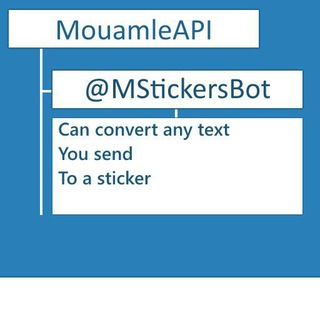
The bot's description fits in one sentence: it puts the text you send into a sticker. Nothing else needs explaining up front.
It has one command, /start, which launches it. After that you just type a message in the bot chat and get an image back. There are no complicated menus or sign-ups. 🙂
Half a minute, step by step
- Open the bot and press /start.
- Type the phrase you want on the sticker.
- Receive the finished sticker in reply.
- Send it to the chat you want, or save it for next time.
If you do not like the result, send a different wording. Short phrases usually read better than long ones.
Where such stickers help
Text on an image beats an emoji when a feeling needs words. A few situations come to mind.
- Jokes among friends. A quote from the family chat becomes a signature reaction.
- Group announcements. A short "Meeting at 7 pm" stands out more than a plain message.
- Greetings. A warm phrase on its own image looks tidier.
- Work chats. Quick notices like "Got it" save time.
Making a sticker readable
A good sticker makes sense at first glance. A few simple rules help.
- Keep it short. Three to five words read better than a whole sentence.
- Skip extra punctuation. One exclamation mark hits harder than five in a row.
- Proofread. A typo on a sticker stays there for good.
- Leave out personal data. Phone numbers and addresses on an image are visible to every recipient.
Developer and privacy
Whatever you write to the bot is processed by its owner. So do not send passwords, codes from messages or anything you would not show strangers.
For ordinary joke phrases this is no problem. Just remember the bot is a third-party service. 🔒
What makes it good
The bot shows about 310 thousand users in Telegram, so people have wanted it for a long time. Its strength is speed: no editors, fonts or layers, just text and a result.
If you need a complex design, use an image editor. If you need it fast, MStickers V7 delivers. 🎨
Frequently Asked Questions
How do I make a sticker from text?▼
Is the bot paid?▼
Can I write long text?▼
Is it safe to send messages to the bot?▼
Based on affiliate data
Popularity
Last 7 days activity