عن التطبيق
الوصف غير متاح بلغتك بعد، لذلك يُعرض باللغة الإنجليزية.
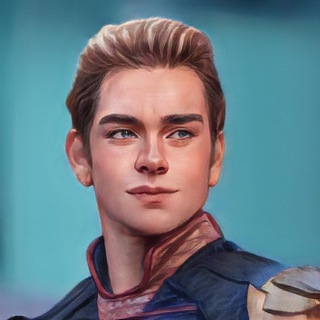
You want a cartoon-style avatar, a funny caption for a photo of your cat, or just curiosity about how a neural network sees your picture. Painter | Writer does such things in a Telegram chat: send a photo and get back a transformed image or a text. 🎨
The bot has two faces, and the name reflects it. Painter draws: it changes the style of a photo. Writer writes: it invents poems, stories and jokes from the uploaded picture.
Which styles it offers
The bot's description lists ten directions. Their recognisability varies, but the idea is simple: take your photo and redraw it in a chosen manner.
- Cartoons. There are styles in the spirit of a grown-up American series and a family sitcom, plus three-dimensional studio animation.
- Japanese animation. Soft colours and big eyes: a popular choice for avatars.
- Retro and graphics. An old computer paint program, a vintage photograph and pixel art.
- Unusual materials. A photo that looks carved from wood or knitted from yarn.
Words from a picture
The second half of the bot deals with text. From a single photo it can compose a poem, a short story or a stand-up routine. There is also a meme maker mode.
It suits captions for social media, greetings and jokes in a family chat. Keep in mind that the network may misread the scene, and the result sometimes comes out odd. That happens and is normal.
Virtual fitting room
A separate service is clothing try-on. The network shows how an item might look on the person in the photo. It is a guide rather than an exact copy: fit and colour on a real person differ.
Before you buy clothes based on such a picture, check the sizes in the shop's size chart.
For memes and stand-up the picture itself sets the plot, so an expressive face, an unusual pose or a funny background gives the text more to work with. A dull portrait on a plain background tends to give a dull text.
If you need text in another language, test how the bot handles your language on a short example before sending many photos.
Getting a good result
- Use a sharp photo. The face should be well lit and not hidden by glasses or hair.
- Simpler frames work better. Styles hit more accurately on a single-person photo than on group shots.
- Try different styles. The same portrait looks different in different manners.
- Repeat without shame. The network does not always get it on the first try.
Queue and support
The bot menu has three commands: /status shows the processing queue, /help opens the guide and /donate lets you voluntarily support the author. At busy hours you will wait.
Remember when other people's faces are involved
Upload only your own pictures or photos of people who agree. Do not send documents or pictures of children without a parent's consent. Better not to pass stylised images off as real photos, or to use them for pranks that could hurt someone. 🔒
If you need the picture for commercial purposes, find out the usage terms before publishing it.
الأسئلة الشائعة
What can Painter | Writer do?▼
Which commands does the bot have?▼
Can I upload other people's photos?▼
Why does the result sometimes look odd?▼
بناءً على بيانات الشراكة