عن التطبيق
الوصف غير متاح بلغتك بعد، لذلك يُعرض باللغة الإنجليزية.
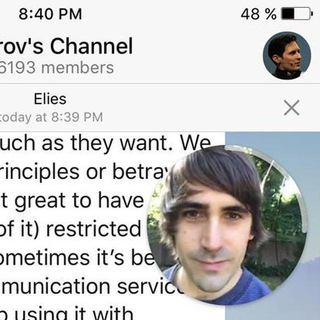
Round video messages in Telegram feel personal and catch the eye, but you can only record them on a phone, and only while the camera is rolling. What if you already have a finished clip, shot on a proper camera or put together in an editor?
Rounded Video solves exactly that: it takes a regular video and turns it into a circle. 🎥
What it looks like in practice
Everything happens in the bot chat and takes a couple of minutes.
- Press /start to launch the bot.
- Forward or send it your favorite video.
- Wait for processing and receive the finished circle.
- Forward it to the chat or channel you need.
The conversion happens on the bot's side, so your phone does not heat up and the original file stays untouched. The bot can also build a circle from a link to a public social media post. 🔄
Why a circle instead of a regular video
The round format has real advantages, and both channel authors and ordinary users take advantage of them.
- Visibility. A circle stands out in a feed full of square and vertical clips.
- Personal tone. The format feels like live conversation, not an advertisement.
- Playback. A circle plays as a video message in Telegram, which makes it easy to share in dialogs.
- Desktop prep. Recording circles on the desktop app is limited, while the bot lets you prepare them on a computer.
Telegram's built-in circle recording is capped at one minute, so keep that in mind when you plan a longer clip. A short vertical highlight suits a channel, and any warm personal video suits a greeting. 🎁
A watermark in your style
The bot has a /settings command. It lets you set the watermark text, its font size and its color. Authors can sign a clip with a channel name or their own name.
A tip: choose a color that stands out against your footage and keep the text small. The round frame already trims the corners of the picture. ✍️
Preparing a video so the circle looks good
A circle crops the image at the edges, so composition matters. These habits help.
- Keep the main subject in the center of the frame, because corners may fall outside the circle.
- Shoot vertically or close to a square to lose less of the picture.
- Do not put important captions near the edges.
- Check the sound. In circles, voice and music do much of the work.
A wide horizontal shot will always lose part of the scene. Decide in advance what must stay in the middle.
What to know about the bot
The bot runs as a Mini App and, according to Telegram, has about a thousand monthly users. It is a small, focused tool with few commands: help and watermark settings.
Before you send personal videos, remember that you are handing a file to a third-party bot. Do not upload clips showing documents, payment cards or other confidential material. For work footage, use tools you trust completely. 🔒
الأسئلة الشائعة
How do I turn a regular video into a circle?▼
Can I add a caption to the video?▼
Why does part of the frame get cut off in a circle?▼
Is it safe to send personal videos to the bot?▼
بناءً على بيانات الشراكة